
 Posted by
 The 2 AM Audit Email
We’ve all been there. An email arrives announcing an upcoming audit, and suddenly teams scramble to prove compliance across hundreds of servers, thousands of configurations, and millions of log entries. Spreadsheets multiply. Screenshots are gathered. Engineers work overtime manually verifying settings that were supposedly compliant last quarter.
This reactive approach to compliance isn’t just stressful; it’s unsustainable and increasingly risky. As regulatory requirements multiply and infrastructure scales, manual compliance checks become a bottleneck that slows innovation and creates genuine business risk.
The answer isn’t more auditors or bigger spreadsheets. It’s automation that makes compliance continuous, visible, and actionable.
Why Manual Compliance Doesn’t Scale
Traditional compliance approaches break down for three fundamental reasons:
Configuration Drift is Constant
In dynamic environments, change happens continuously. A server provisioned compliant on Monday may be non-compliant by Friday due to patches, updates, or configuration changes. Manual spot-checks can’t keep pace with the velocity of modern operations.
Human Error is Inevitable
When compliance depends on engineers remembering to check twenty different settings across multiple systems, mistakes happen. It’s not about competence; it’s about cognitive load. Manual processes don’t scale across teams, time zones, or turnover.
Evidence Collection is Expensive
Gathering compliance evidence manually consumes enormous time. Engineers who could be building features instead spend days documenting configurations, taking screenshots, and filling spreadsheets. This cost multiplies with each audit cycle.
The Automation Opportunity
Automating compliance checks transforms compliance from a periodic panic into continuous assurance. Here’s what that looks like in practice:
Shift from Periodic to Continuous
Instead of checking compliance quarterly, automated systems verify it constantly. When a configuration drifts from compliance, teams know immediately, not months later during an audit. This shifts the conversation from “proving we were compliant” to “maintaining compliance continuously.”
Make Compliance Visible
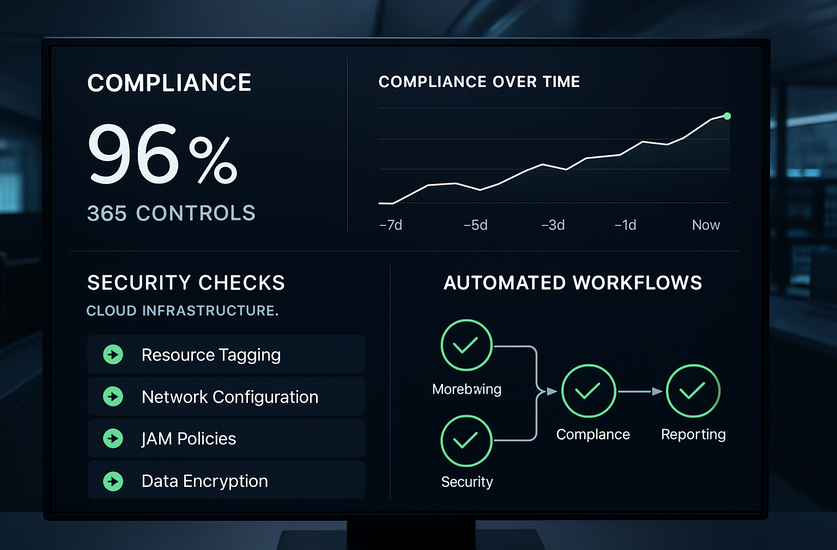
Automation makes compliance status transparent. Dashboards show real-time compliance posture across all systems. Teams can see which controls are passing, which are failing, and what needs attention. This visibility transforms compliance from a mysterious requirement into an operational metric.
Enable Self-Service Evidence
When auditors request evidence, automated systems can generate comprehensive reports instantly. Instead of weeks gathering documentation, compliance evidence becomes available on-demand. This reduces audit cycles from months to weeks and frees engineering time for valuable work.
Building Blocks of Compliance Automation
Effective compliance automation requires several key components working together:
Policy as Code
Compliance requirements must be translated into executable code. Tools like Open Policy Agent (OPA), AWS Config Rules, Azure Policy, or HashiCorp Sentinel let you define compliance policies programmatically. This makes policies version-controlled, testable, and consistently enforced.
Automated Scanning and Assessment
Regular automated scans check systems against defined policies. These scans should run continuously or at high frequency, checking configurations, security settings, access controls, and other compliance requirements. Tools like Chef InSpec, Ansible compliance scanning, or cloud-native compliance services provide this capability.
Remediation Workflows
Detecting non-compliance is valuable, but automated remediation is transformative. Where safe, systems should auto-remediate common drifts. For example, automatically disabling non-compliant S3 bucket public access or rotating expired credentials. For changes requiring approval, automation should trigger workflows that route to appropriate reviewers.
Evidence and Reporting
Automated systems must collect and preserve evidence. Every scan, every finding, every remediation should be logged immutably. Reports should map findings to specific compliance frameworks (SOC 2, PCI-DSS, GDPR, etc.) and provide auditor-ready documentation.
Practical Implementation Patterns
Here’s how organizations successfully implement compliance automation:
Start with High-Impact, Low-Risk Checks
Begin with compliance requirements that are clearly defined, easily automated, and low-risk to enforce. Password complexity policies, encryption-at-rest requirements, or logging configuration are good starting points. Success here builds momentum and expertise.
Integrate with CI/CD Pipelines
Bake compliance checks into deployment pipelines. Before infrastructure or applications deploy, automated gates verify compliance. This “shift-left” approach prevents non-compliant configurations from ever reaching production.
Create Feedback Loops
When compliance checks fail, alerts should route to teams who can fix them. Integration with ITSM tools, Slack, or PagerDuty ensures findings reach the right people quickly. Clear, actionable alerts—not just “compliance failed”- help teams resolve issues fast.
Maintain Exception Workflows
Not every compliance failure is an emergency. Sometimes legitimate business needs require exceptions. Automated systems should support documented exception workflows where authorized personnel can approve temporary non-compliance with proper justification and time-boxing.
Common Pitfalls to Avoid
Over-Automation Too Quickly
Automating everything at once often creates chaos. Teams get overwhelmed with alerts, false positives erode trust, and aggressive auto-remediation can cause outages. Phased implementation with careful validation prevents these issues.
Ignoring False Positives
Compliance automation that generates frequent false positives trains teams to ignore alerts. Invest time tuning checks to minimize noise. High signal-to-noise ratio is critical for trust and adoption.
Forgetting the Human Element
Compliance isn’t purely technical. Training teams on why compliance matters, how automation works, and what their responsibilities are remains essential. Automation supports people; it doesn’t replace judgment and accountability.
Measuring Success
Track these metrics to evaluate compliance automation effectiveness:
- Mean Time to Detect (MTTD) non-compliance: Should decrease dramatically
- Mean Time to Remediate (MTTR) compliance issues: Faster with automation
- Audit preparation time: Should reduce by 60-80%
- Compliance drift rate: Percentage of systems drifting from compliance over time
- Auto-remediation rate: What percentage of issues resolve automatically
The Business Case
Compliance automation delivers clear ROI:
- Reduces audit costs by accelerating evidence collection
- Minimizes compliance violations and associated fines
- Frees engineering time for innovation rather than manual checks
- Reduces security risk by catching misconfigurations quickly
- Improves audit outcomes through continuous compliance
Moving Forward
Compliance automation isn’t about replacing governance with scripts. It’s about making compliance sustainable, scalable, and integrated into daily operations. When compliance checks run automatically, evidence collects continuously, and remediation happens rapidly, compliance becomes less burden and more business enabler.
Start small. Choose one compliance domain- cloud security configurations, access controls, or data protection- and automate it thoroughly. Learn what works, build team confidence, then expand scope.
The goal isn’t perfect automation overnight. It’s continuous improvement that makes compliance less painful and more effective with each iteration. Your future self (and your auditors) will thank you.
Key Takeaways
- Manual compliance checking doesn’t scale with modern infrastructure velocity
- Automation shifts compliance from periodic panic to continuous confidence
- Policy as code, automated scanning, remediation workflows, and evidence collection form the foundation
- Start with high-impact, low-risk checks and expand gradually
- Integration with CI/CD pipelines prevents non-compliance from reaching production
- Measure MTTD, MTTR, and auto-remediation rates to track progress
- The business case is clear: reduced costs, lower risk, faster audits, and freed engineering capacity
Compliance automation transforms a necessary burden into a competitive advantage. Organizations that embed compliance into automated workflows move faster, fail audits less often, and spend less time proving they’re compliant because they continuously are.
For practical delivery controls, see integrating security into DevOps pipelines and shift-left security strategies.
Frequently Asked Questions
What is compliance automation?
It uses executable policies, automated assessment, evidence collection, and remediation workflows to continuously monitor controls.
Where should a team start?
Choose a clearly defined, high-impact, low-risk control and validate the workflow before expanding coverage.